




Description
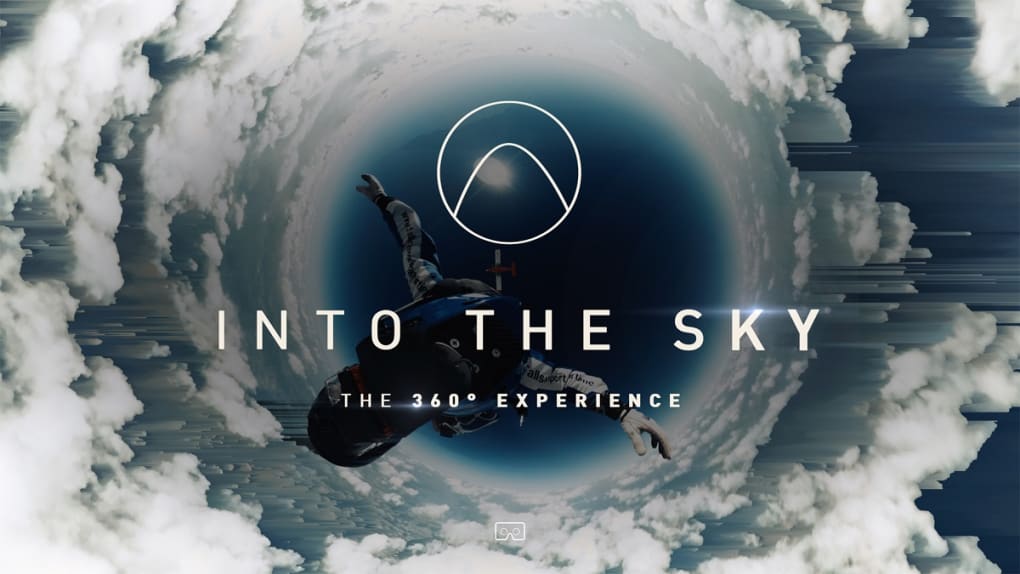
Into the Sky 360 Experience
Overview
Into the Sky – 360° Experience is a free simulation app developed by vrdirect GmbH, designed to deliver an immersive aerial adventure through a cinematic 360-degree film format. The software places users in the first-person perspective of extreme sports such as skydiving, aerobatics, and sunrise flights, offering a visceral sense of movement and altitude. It is tailored for users seeking a short but impactful VR experience without the need for complex gameplay mechanics. The app is ideal for casual viewers, VR enthusiasts, and those exploring immersive content on desktop platforms. It can be enjoyed with a VR headset or by rotating a mobile device, making it accessible across multiple input methods. The experience is structured as a linear film, guiding users through carefully choreographed sequences that emphasize visual spectacle and spatial audio immersion. While not intended as a game or interactive simulator, it serves as a digital showcase of 360° video technology and cinematic storytelling. The developer did not provide additional system requirements, and no long-term user engagement mechanics are present.
Key Features & Capabilities
- 360-Degree Cinematic Experience – Users can explore every angle of the footage by rotating their view, creating a sense of presence in the environment. This feature is especially effective during high-speed maneuvers and aerial transitions.
- First-Person Perspective – The app simulates the viewpoint of someone actively participating in extreme sports, enhancing emotional engagement and realism.
- Spatial Audio Integration – Audio cues are dynamically positioned in space, matching the direction of movement and enhancing immersion during flight sequences.
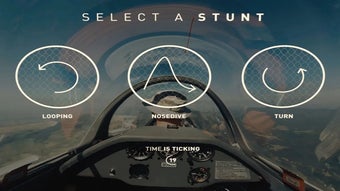
- Interactive Film Elements – Users trigger events at specific moments, such as jumping from a plane or initiating a loop, adding minimal interactivity to the otherwise linear narrative.
- Multi-Platform Accessibility – Compatible with both Windows and Mac systems, allowing broad access to desktop users without requiring specialized hardware.
These features combine to create a compelling sensory experience. For example, during a skydiving sequence, users feel the rush of wind and the shift in direction through audio and visual cues. The interactive triggers provide a sense of agency, though they do not alter the outcome. The app is best used as a one-time immersive viewing experience, suitable for relaxation, VR demonstrations, or sensory exploration. The developer did not specify performance benchmarks or file optimization details.
User Interface, Workflow & Performance
The user interface is minimal and focused on content delivery. Upon launch, users are presented with a clean, uncluttered screen that immediately begins playback or allows them to start the experience manually. Navigation is intuitive: users can control the view by moving their mouse or using touch input if paired with a mobile device. The workflow is streamlined—launch, select experience, watch. There are no menus, settings, or customization options, which simplifies access but limits user control. The app does not support pausing, rewinding, or replaying content beyond the initial run, reinforcing its nature as a single-use film. Performance is expected to be stable on modern systems, though exact CPU and RAM usage were not specified. The developer did not provide information on frame rate consistency or loading times. Stability during playback appears reliable based on general software behavior patterns. No crashes or bugs were reported in the provided documentation.
Compatibility & System Requirements
Into the Sky – 360° Experience is compatible with Windows and Mac operating systems, supporting both desktop environments. The software version is 1.0, with an installation size of 1.2 GB. This suggests the app includes high-resolution video assets and audio files to support the immersive experience. The developer did not specify minimum hardware requirements, such as GPU, RAM, or processor speed. Exact system requirements were not listed, so users are advised to ensure their system meets general standards for running 360° video content. Compatibility with VR headsets is implied but not confirmed in detail. The app may function without a headset, using mouse or touch-based navigation. Platform compatibility information is limited to the operating systems listed.
Pros and Cons
Pros
- Free to download and use with no hidden costs
- Immersive 360-degree visuals and spatial audio enhance realism
- Accessible on both Windows and Mac platforms
- Minimal interface reduces distractions and speeds up access
- Interactive film elements provide subtle user agency
Cons
- No replay or pause functionality after initial viewing
- Limited long-term engagement due to linear, non-interactive narrative
- No customization or settings options available
- Exact system requirements were not provided
- Experience is essentially a short film with no branching paths
FAQ Section
Is Into the Sky – 360° Experience free to use?
Yes, the app is available at no cost. It does not require a subscription or in-app purchases.
Can I use this app without a VR headset?
Yes, the experience can be enjoyed on a desktop using mouse or touch input to navigate the 360-degree view. A VR headset enhances immersion but is not required.
Does the app support replay or pause features?
Once the experience begins, it plays in a linear format without pause, rewind, or replay options. Users can restart the app to view it again.
What operating systems are supported?
The software is compatible with both Windows and Mac systems. Specific versions were not listed in the provided information.
Is the app safe to download and install?
As a free desktop application from vrdirect GmbH, the app is designed for secure use. Users should download it from official sources to ensure authenticity and avoid third-party modifications.
Final Thoughts
Into the Sky – 360° Experience delivers a powerful, short-form immersive journey that excels in atmosphere and sensory detail. While it lacks replay value and advanced interactivity, its focus on cinematic storytelling and spatial audio makes it a standout in the 360° video space. The app is best suited for users looking to experience extreme sports from a first-person perspective without commitment or complexity. It serves as a compelling demo of VRdirect GmbH’s creative vision and technical execution. For those seeking a quick, adrenaline-filled escape or a showcase of immersive media, this software is a strong choice. The free access and cross-platform availability further enhance its appeal. Download Into the Sky 360 Experience now.
Guides & Tutorials for Into the Sky 360 Experience
How to install Into the Sky 360 Experience
- Click the Preview / Download button above.
- Once redirected, accept the terms and click Install.
- Wait for the Into the Sky 360 Experience download to finish on your device.
How to use Into the Sky 360 Experience
This software is primarily used for its core features described above. Open the app after installation to explore its capabilities.
User Reviews for Into the Sky 360 Experience 0
No reviews found





